

RenewIQ: Subscription Tracker
Finance · Android
See every subscription renewal before it hits your card.
A subscription tracker that reminds you before renewals and before free trials turn into charges, and points out the subscriptions you no longer use. No bank login, no account, and your data stays on your phone.
Free for up to 5 subscriptions, with a banner ad · RenewIQ Pro is a one-time $4.99
- Popular services built in
- 140+
- Currencies converted
- 30
- Subscriptions on the free plan
- 5
- Languages
- 6
Features
What RenewIQ does
Smart Add
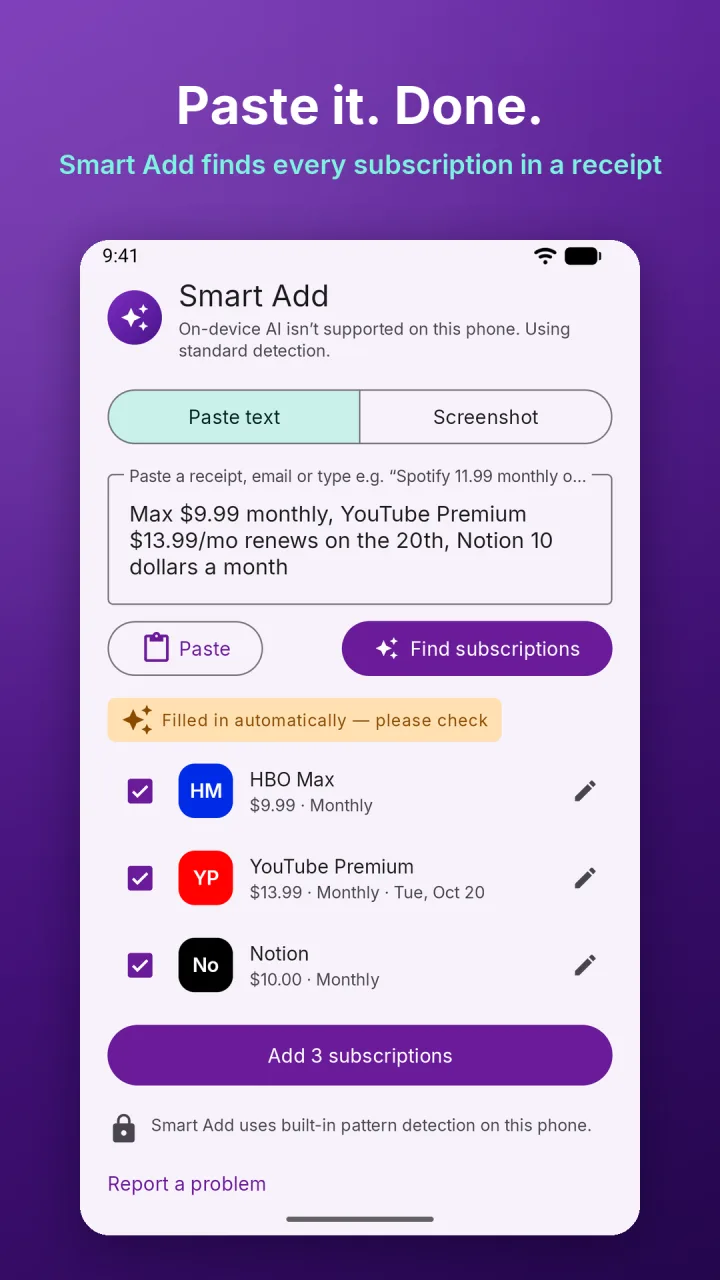
Paste a receipt, an email or a note like "Spotify 11.99 monthly", or pick a screenshot, and RenewIQ finds every subscription in it. You can also share a receipt to RenewIQ from any app.
Renewal reminders
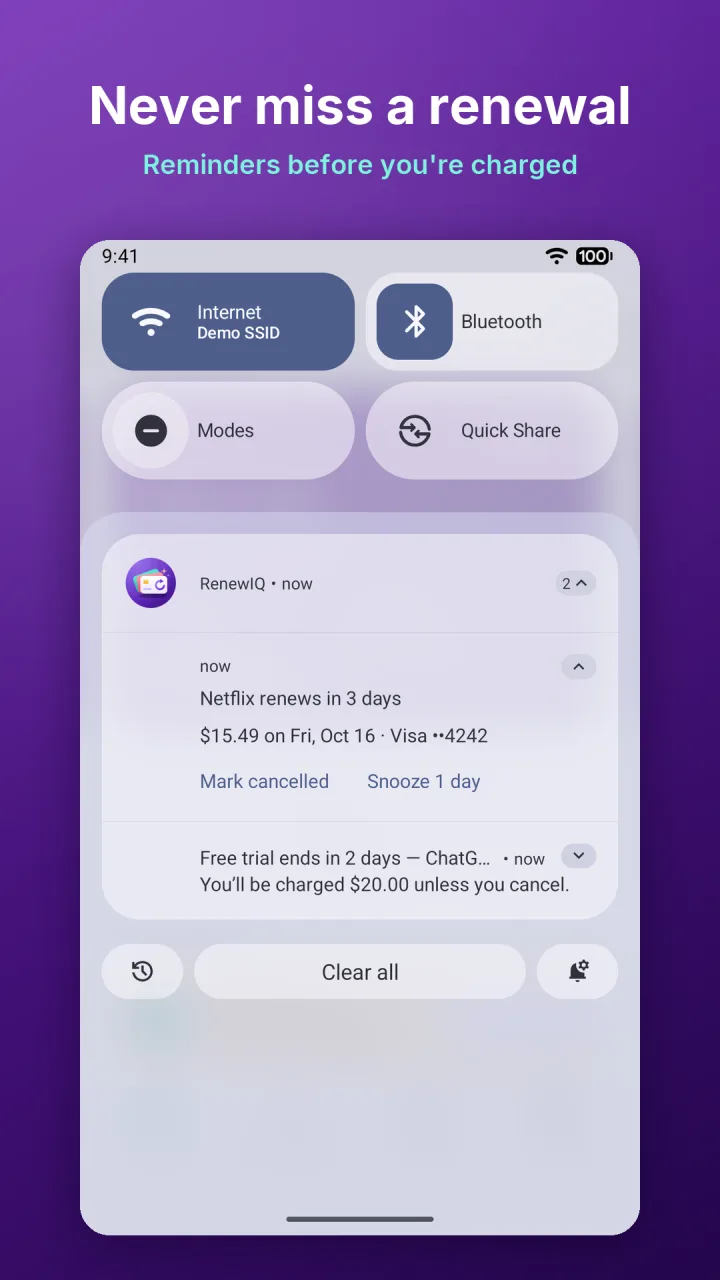
Get reminded 1, 3 or 7 days before a renewal, and on the day. Trial Guard alerts you before a free trial ends and shows how to cancel.
Calendar of charges
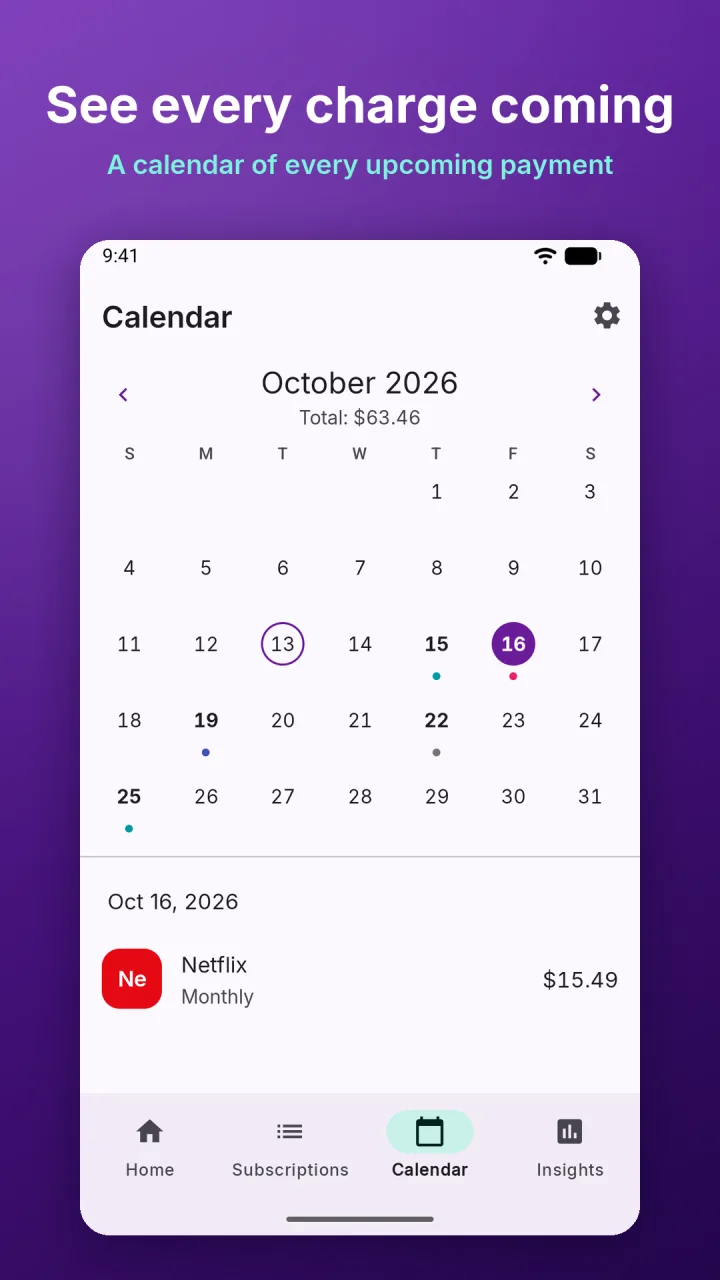
See every upcoming charge on a calendar. Add renewals to Google Calendar or any other calendar app.
Know where the money goes
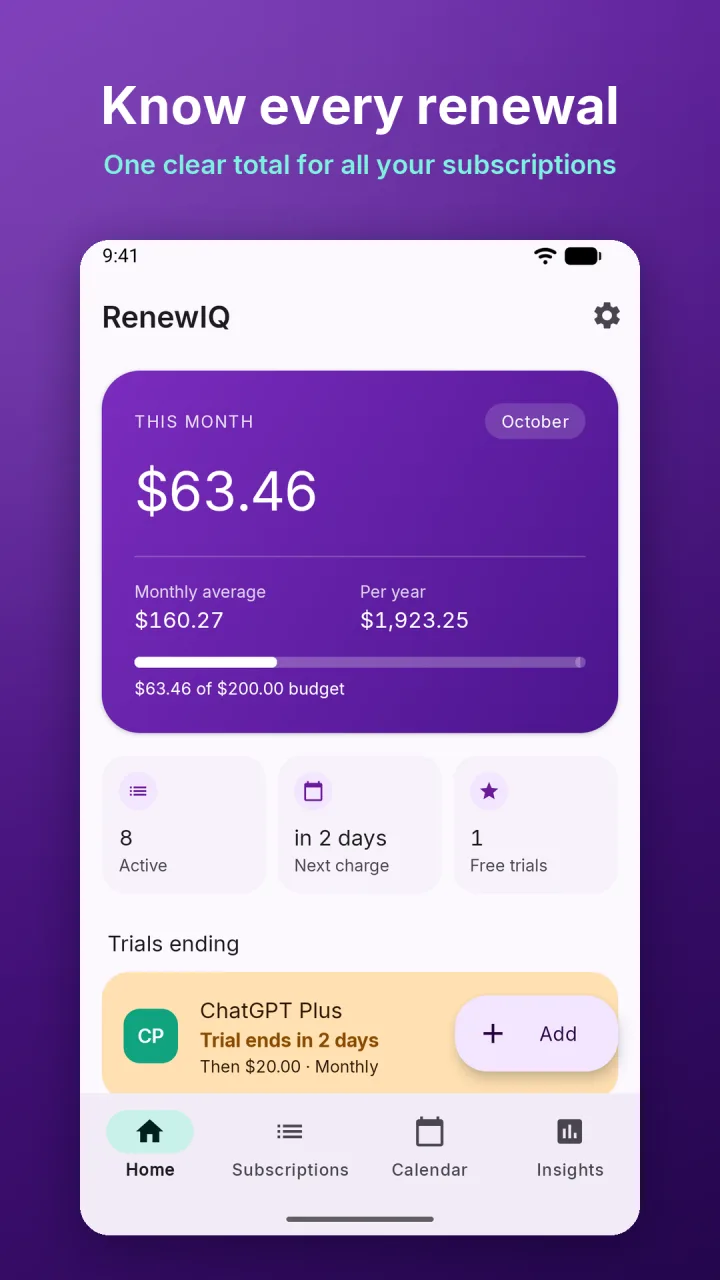
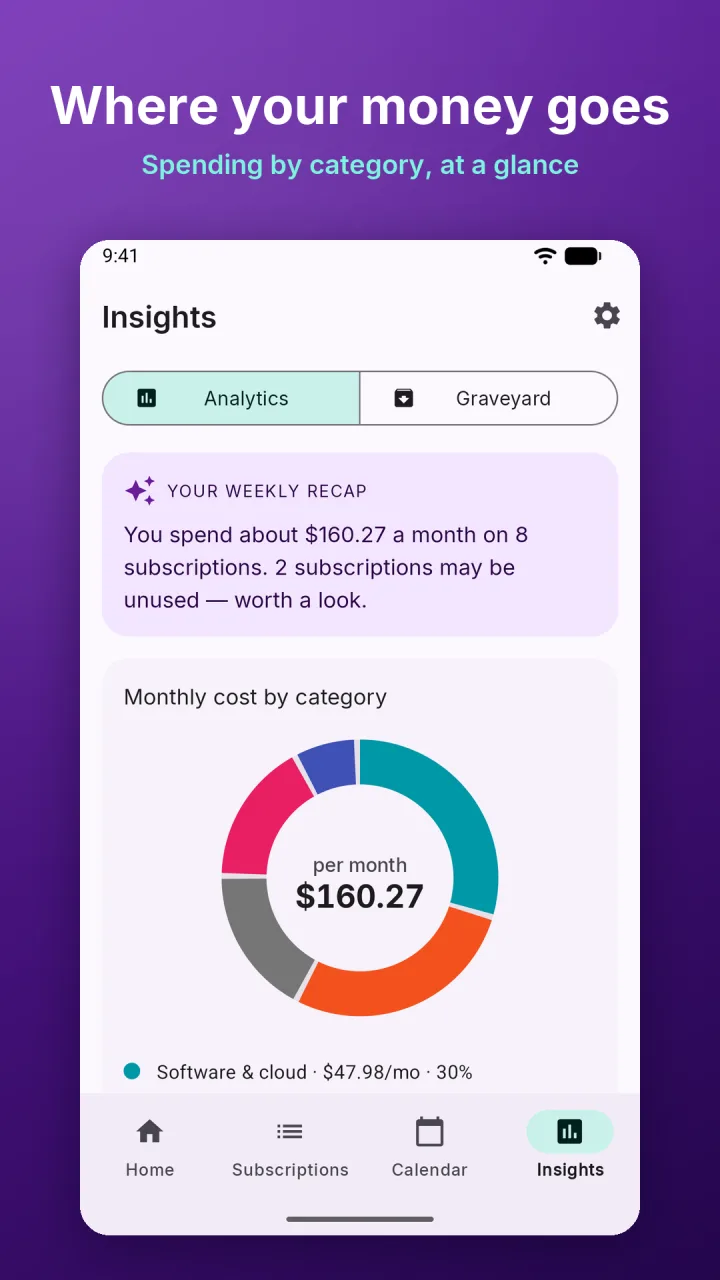
Monthly and yearly totals at a glance. Pro adds spending by category, a 12-month forecast, price-hike history and a monthly budget.
Subscription Graveyard
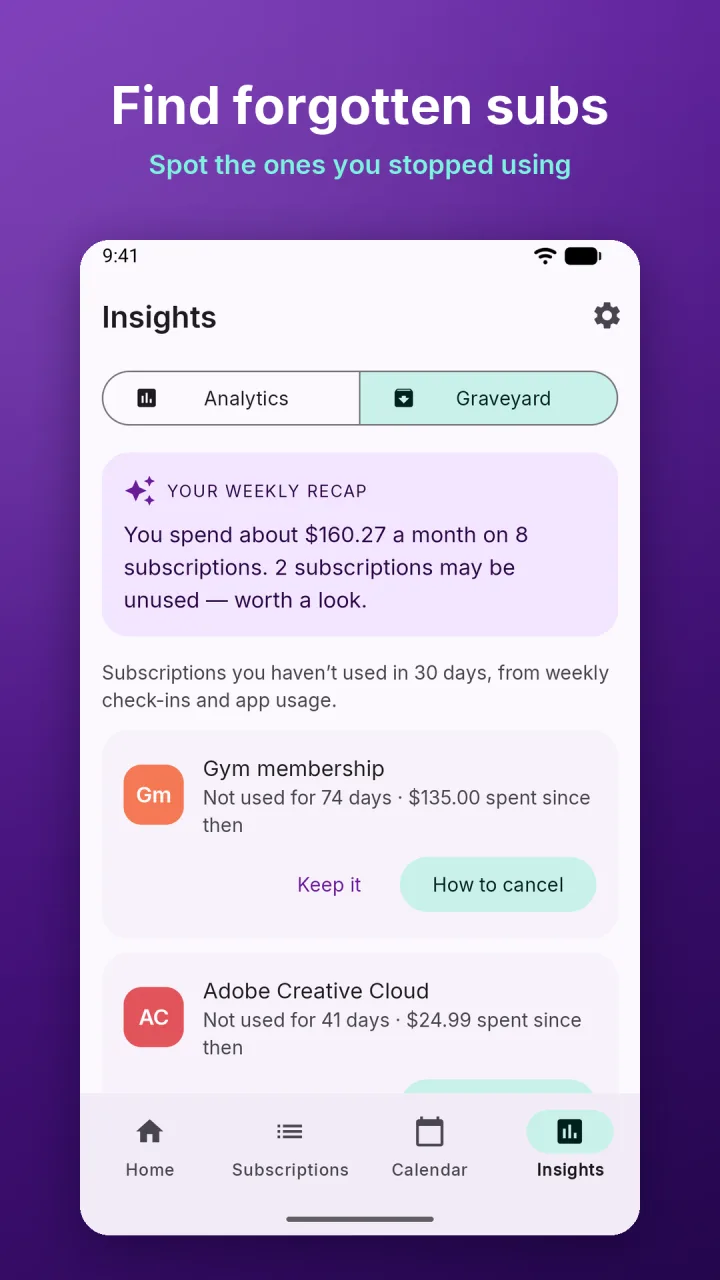
A Pro feature that flags subscriptions you have not used in a while, from quick weekly check-ins or, if you allow it, app usage detection that stays on your phone. It shows what you have paid since and gives step-by-step cancel help.
Private by design
No bank login and no account. Subscriptions are stored on your device, and screenshots and statements are read on your phone with on-device text recognition.
How it works
Up and running in a minute
- 01
Add your subscriptions
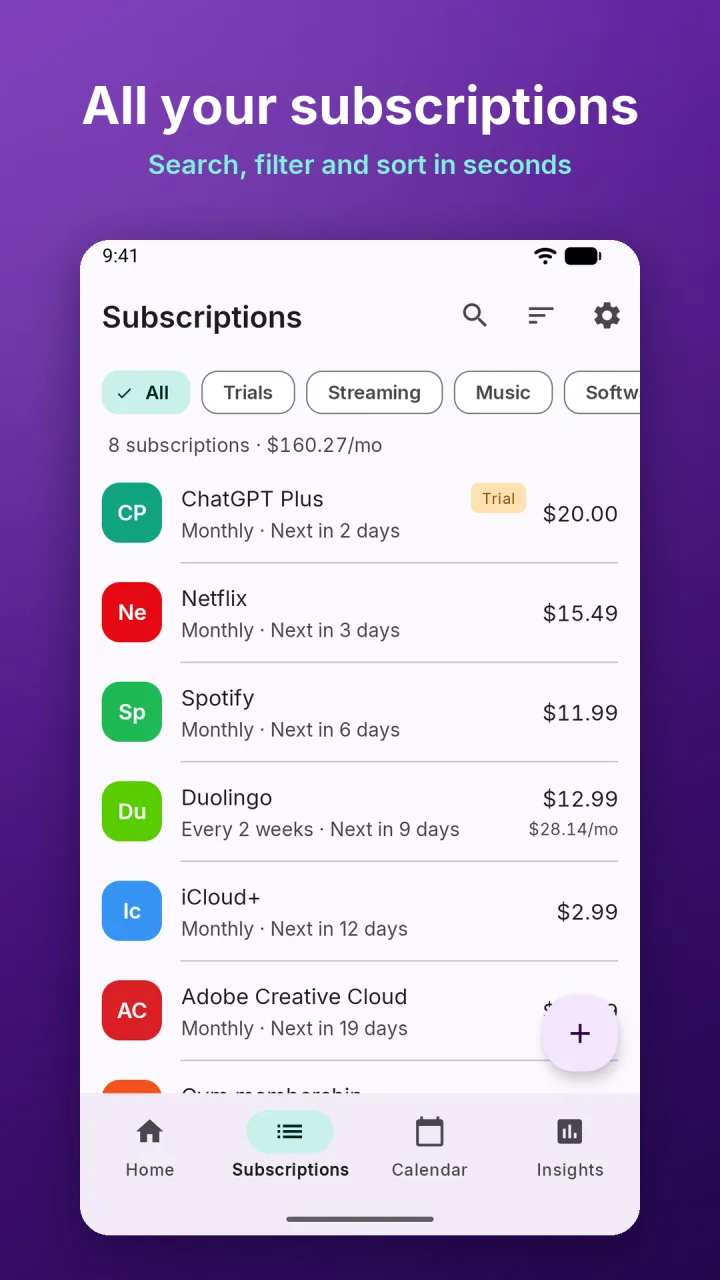
Use Smart Add on a receipt or screenshot, pick from 140+ popular services, or enter one by hand with any billing cycle.
- 02
Choose your reminders
Pick 1, 3 or 7 days before each renewal, plus a reminder on the day.
- 03
Check before you pay
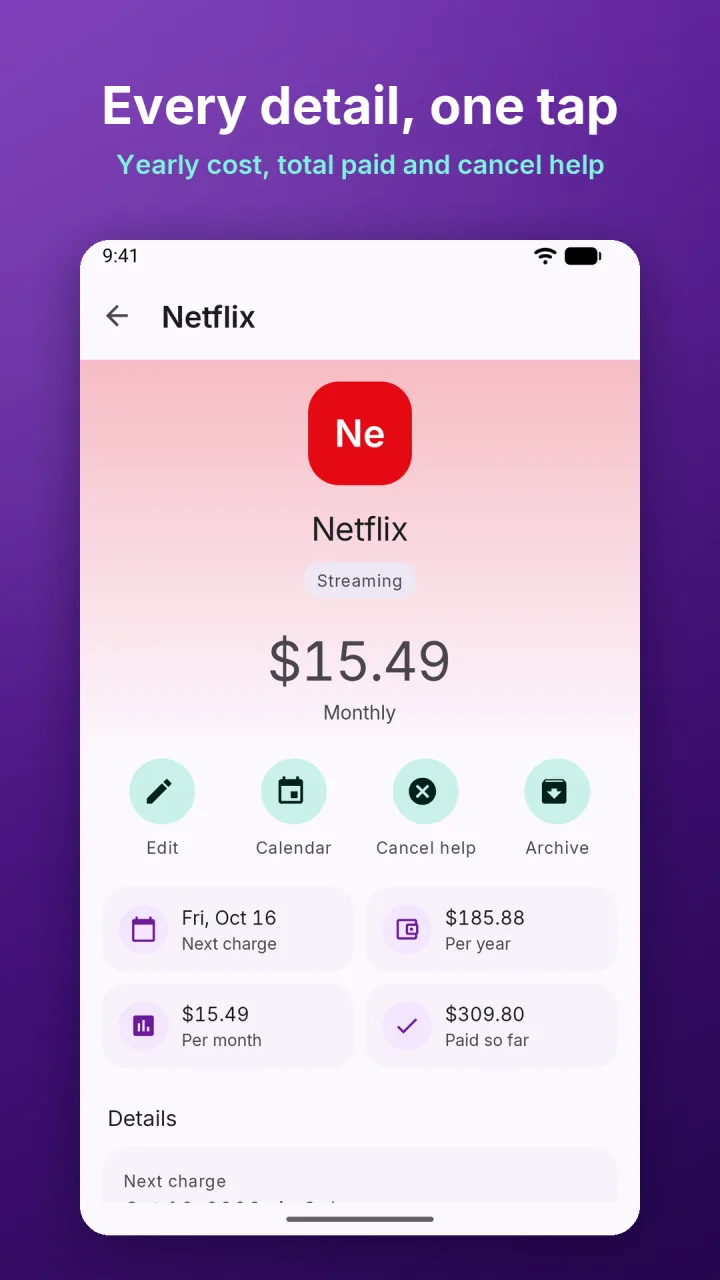
The home screen shows this month’s total, the next charge and any trials about to end. Open a subscription for cancel help.
Screenshots
RenewIQ on your phone
Pricing
What it costs
Free for up to 5 active subscriptions and 1 free trial. RenewIQ Pro is a one-time purchase. There is no subscription.
Free
$0
- Up to 5 active subscriptions and 1 free trial
- Reminders, calendar, cancel help and archive
- Backups included
- 3 Smart Add uses
- Shows a small banner ad
RenewIQ Pro
$4.99 one-time
- Unlimited subscriptions, free trials and Smart Add
- Bank or card statement import (CSV or PDF)
- Insights, Subscription Graveyard and a weekly AI recap
- Price-hike history, shared-cost split and a monthly budget
- Other currencies, your own categories and per-subscription reminder days
- Home-screen widgets, CSV export, app lock and no ads
The price is shown in your local currency in the app.
Good to know
- Languages
- English, Spanish, French, Portuguese (Brazil), German and Hindi
- Devices
- Android 8.0 and later. Phones, tablets and foldables.
- Account
- None needed, and no bank login
- Your data
- Stored on your device. Back up to your own Google account or export a JSON or CSV file.
- Ads
- One small banner in the free version. None in Pro.
Questions
Frequently asked
Something else? Write to support@nexovia.cloud or use the contact form. See our Privacy Policy for how our apps handle data.
Do I have to connect my bank account?
No. RenewIQ never asks for a bank login. You add subscriptions yourself, with Smart Add, or in Pro by importing a statement file that is read on your phone and never stored.
Is RenewIQ free?
Yes, for up to 5 active subscriptions and 1 free trial, with reminders, the calendar, cancel help, archive and backups included, plus 3 Smart Add uses. The free version shows a small banner ad.
What does Pro cost, and is it a subscription?
RenewIQ Pro is a one-time purchase of $4.99. There is no subscription. It adds unlimited subscriptions, statement import, Insights, the Subscription Graveyard, widgets, CSV export, app lock and removes ads.
Can RenewIQ cancel a subscription for me?
No. RenewIQ does not access your bank or cancel subscriptions for you. It links to cancel pages and gives step-by-step cancel help.
Is the AI in Smart Add sending my receipts anywhere?
No. On phones with Google’s on-device AI (Gemini Nano), Smart Add uses it. On other phones it uses built-in pattern detection. Nothing you add is uploaded.
Does it handle subscriptions in other currencies?
Yes, with Pro. Totals are converted to your home currency across 30 major currencies. Amounts and savings are estimates based on what you enter.
Get RenewIQ
Free for up to 5 subscriptions, with a banner ad · RenewIQ Pro is a one-time $4.99
More from Nexovia
Related apps

Finance Calculator
23 financial calculators for investments, loans, retirement and debt.

FreelanceCalc Pro
Find the hourly rate you need after taxes and costs, then quote it.

GroceryComp
Instant price-per-unit comparisons that crown the better deal.

Estimato
Estimates and invoices for contractors, with built-in calculators and PDF export.